Link to my game: Slime Jumper
My final prototype for my assignment is a platformer game. This prototype was made using Unity just like the previous three game prototypes that I have published to itch.io over the past month.
A platformer is a game that allows the player to control their character in a 2D or 3D space with the main mechanic of jumping between platforms and evading hazards. Some well known platformers are Super Mario Bros, Super Meat Boy, Celeste, etc.
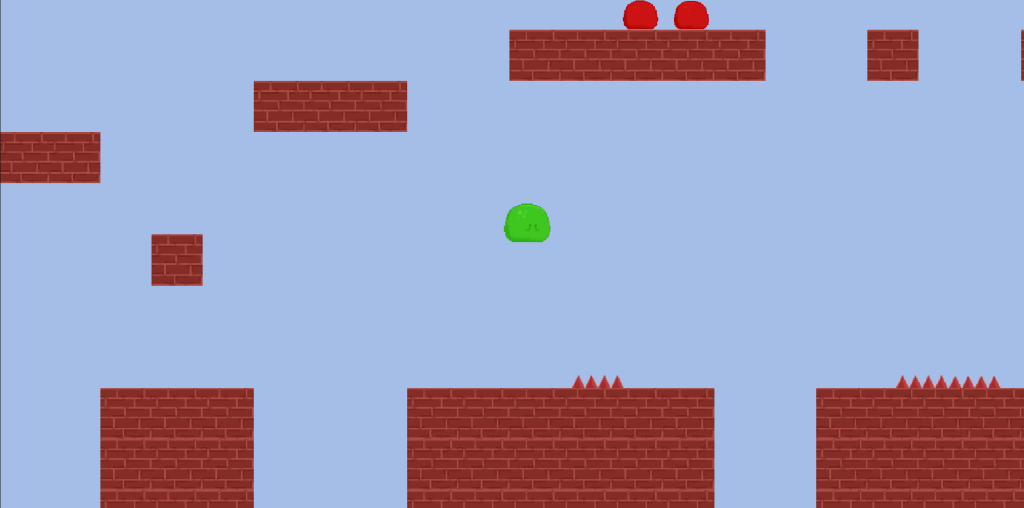
The platformer prototype that I made gives the player control of a slime in a map that was made out of brick tiles. The player has to defeat enemy red slimes, evade spikes and avoid falling off the map.
Scripting
This prototypes has a total of five scripts involved in making the game work and allow the player to access the platformer’s game mechanics.
The first script that was implemented is the scr_playerMovement script.
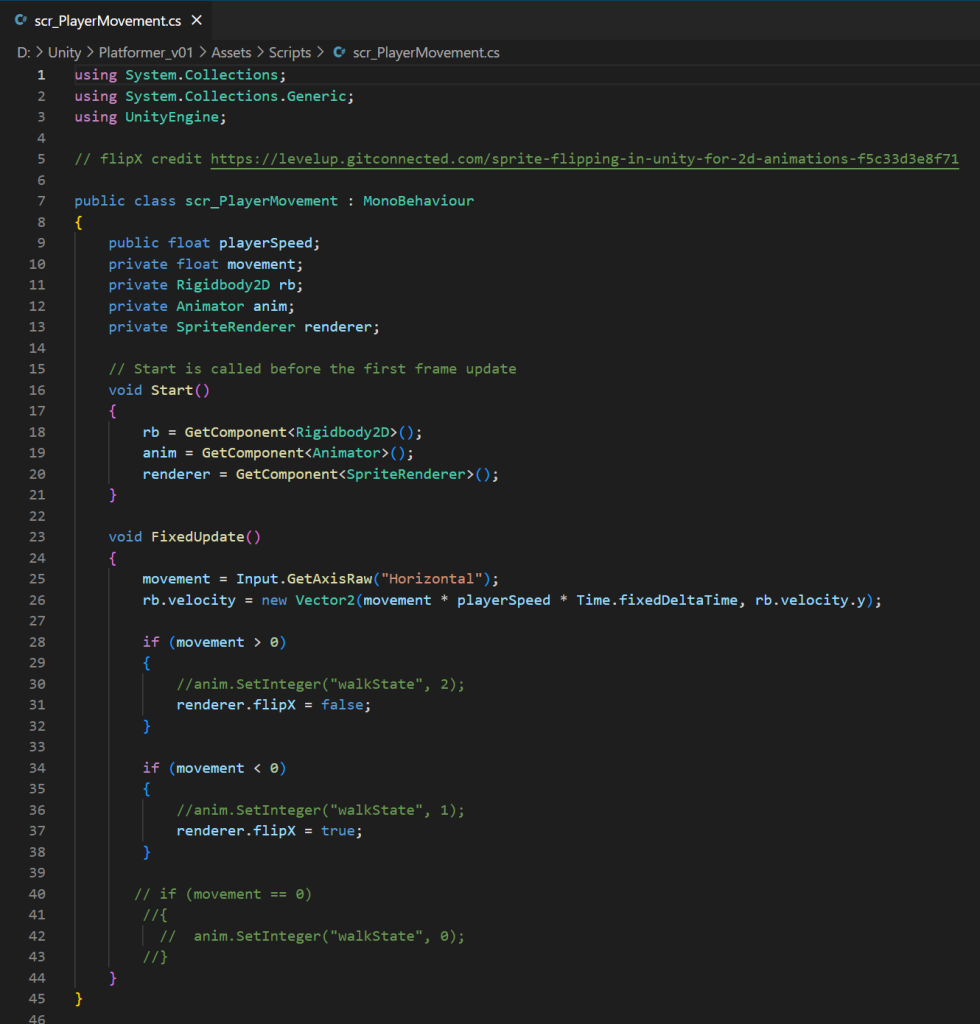
This script shown has two purposes, the first being to allow the player to move the slime character horizontally across the screen using the arrows and a,d keys on their keyboard. The player speed is set in the inspector menu in Unity which is set to 300, giving the player a balanced speed when playing the game so that the movement is comfortable.
The second purpose of the script is by using the If functions, the player’s sprite will flip vertically so that the slime is always facing the direction that they are moving. This code was taken by the website Level Up by James West who describes how to flip a 2D character with a script which I implemented into scr_playerMovement.
The second script used for Slime Jumper is the script scr_playerJump.
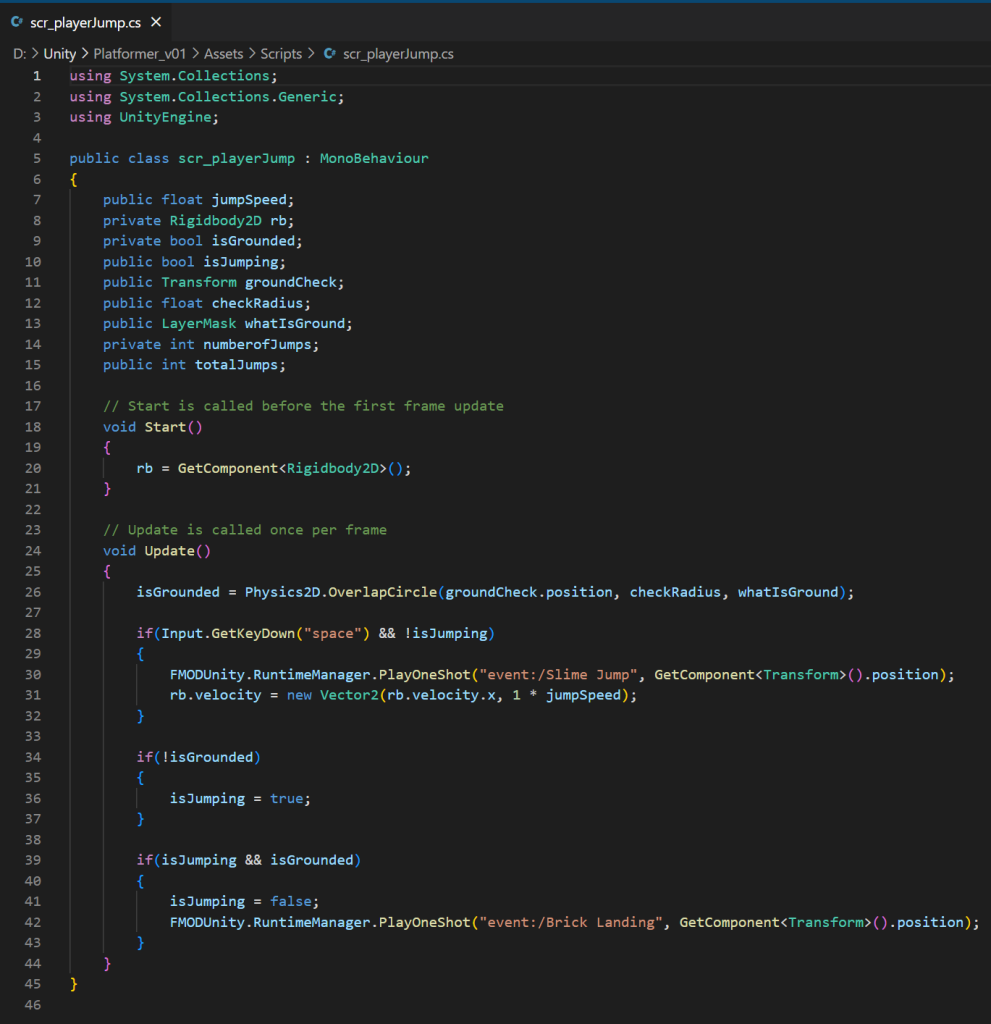
The purpose of this script is to allow the player to use the space button to make the slime character jump. This script is essential to platformers at it is vital to letting the player reach other areas divided by gaps and hazards. The script uses the isGrounded and isJumping bools to ensure that the player is only able to jump when touching the ground to prevent mid-air jumping.
During this project was when I learned of and implemented PlayOneShot into the game script which gave me more control of when an audio would play in the game. The PlayOneShot audio files in this script display that the audio files, Slime Jump and Brick Landing will play when the isJumping bool is made true or false.
The next script of the prototype is scr_camera.
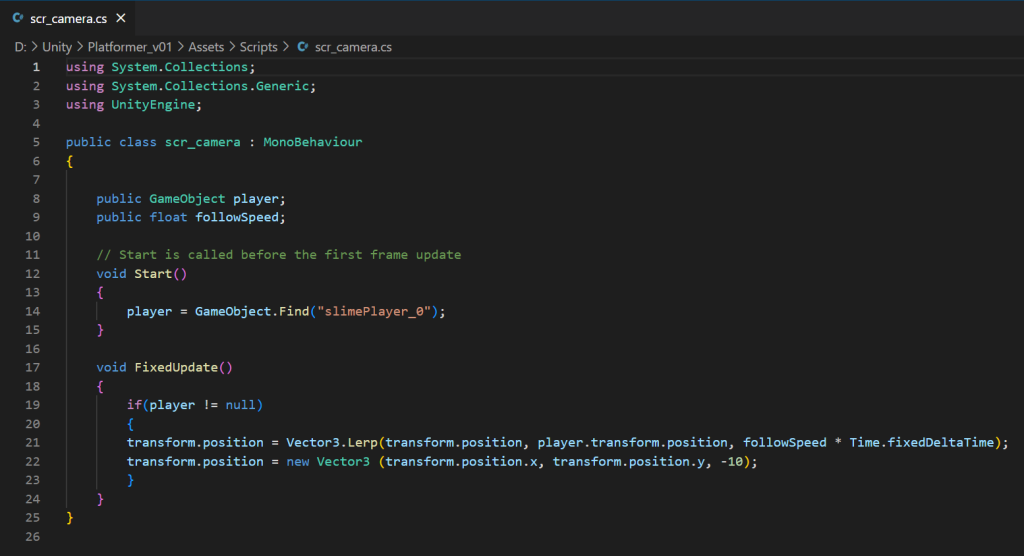
This script simply makes the camera game object within Unity follow the player character when they are in the game world. If the player is not present the camera will no longer follow.
This script works by finding the player and taking the player’s position within the game, it then places the x and y coordinates in the transform component of the camera game object so that the main camera and player positions are identical. However, the z coordinate is fixed to -10, this is because if the player character’s z coordinate was the same as the player, none of the game objects will be visible since the camera is colliding with these objects.
The fourth script for the prototype is called scr_killEnemy.
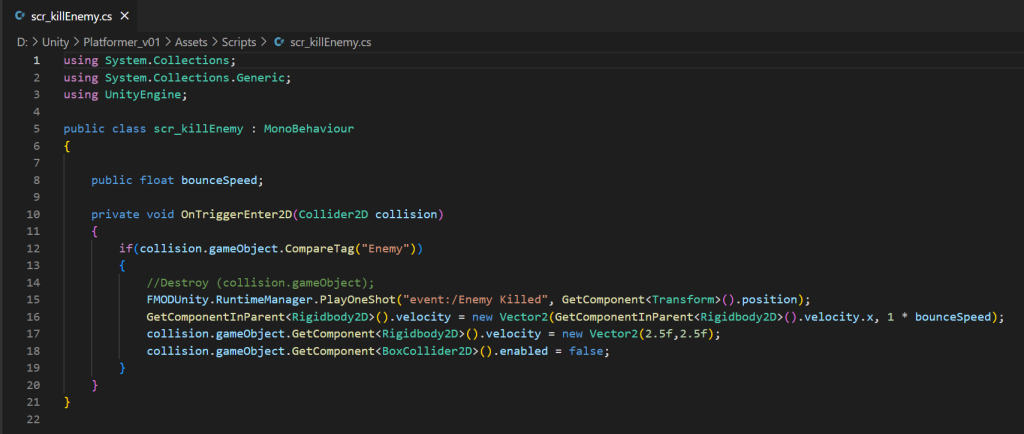
This is used by the game engine to do two things. The first is to make the player bounce whenever the ground check game object collides with the an enemy. The ground check width is smaller than the player character that it is connected to via the hierarchy, meaning that this bounce will only trigger when the player jumps on the enemy.
The second thing this script does is that it moves the enemy forward and then down, alongside the collision of the enemy becoming false, this will drop the enemy off the player’s screen by moving the enemy slime through the tiles that are in the game world.
The last script within my prototype is scr_environmental Hazards.
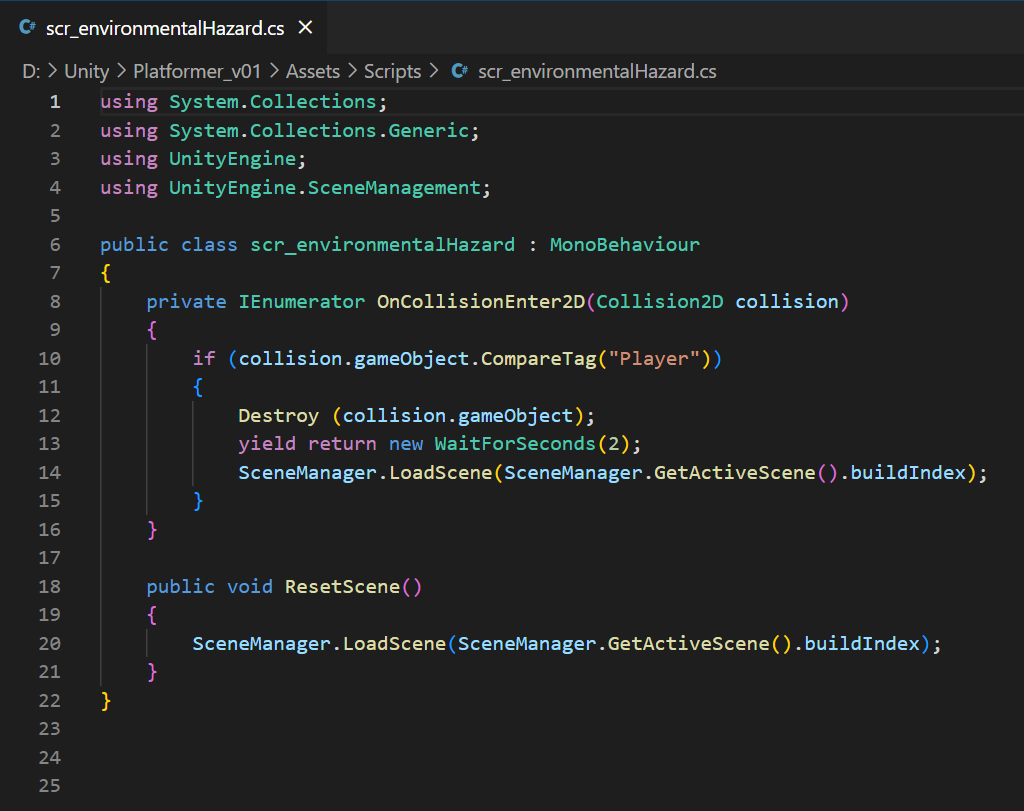
This script’s purpose is to destroy the player character and reload the scene when the player dies. It does this by detecting if a game object with the Player tag collides with any game object hosting this script. The script will then destroy the player game object and reload the scene after two seconds so that the reset isn’t instantaneous. The function, ResetScene is not required for this as no other script references this function therefore it is never used.
Game Sprites



My platformer prototype has a total of four unique sprites that were used when I was building the level in Unity.
The first two are both slimes, one green and one red. The green slime is controlled by the player character and there is only one in within the game at any given time. The red slime was made in Photoshop by changing the colour and reducing the image size so that there are multiple visual differences between the player and the enemies. The red slime sprite unlike the player slime doesn’t have any facial features. This was also used to distinguish the two and to support the idea that the enemies have little to no sentience.
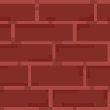
The brick tile is used for the ground and platforms within the prototype and was inspired by the brick blocks from the Mario franchise and from the game Minecraft. Super Mario inspired the existence of this tile within the game due to their heavy use in the early mario games e.g. Super Mario Bros. while Minecraft inspired the aesthetic of the tile but as a flat image.
The last game sprite is the spikes. These are used in the game as an environmental hazard and if the player character collides with them, the player game object will be destroyed. These were made using the triangle tool in Photoshop and then were given a reflection and shadow to add depth.
The decision for the red colour of the enemy slime and the spikes are linked to colour theory and symbolises the colour with danger. This tells the player visually that these game objects are dangerous to them and they should either be avoided or defeated (in the case of the red slime).
Sprite Animation
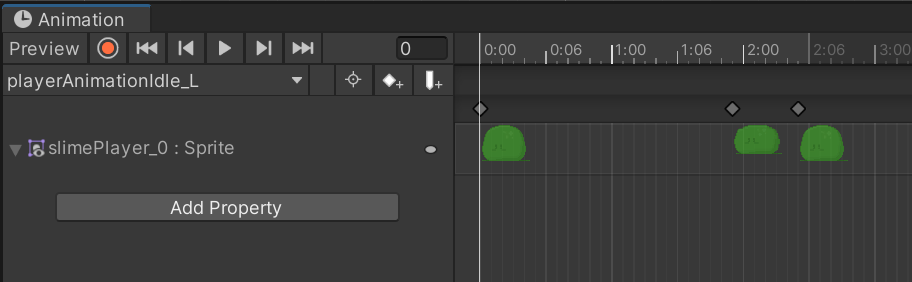
In the previous section, the sprites for the game’s player and enemies had two slimes each per image. This is because these are the two frames involved in the animation of these sprites. The idea of this animation was for both the green and red slime to bob up and down naturally to give the impression that they are not stiff and are almost living creatures in the game world.
These sprites were both added into the scene view, had their sprite mode set to multiple and opened in the sprite editor. In this menu, the individual frames were sliced with the same height and width. This is because there were issues involved with the animation where the second frame would be midair if the auto slice tool was used.
A walk state was created for the green slime after this but did not end up being used due to the player character sprite not have a walking animation prepared. This was because a slime does not have any legs hence they do not walk.
The only animation used by the red and green slime sprites are their idle animation which was set up using Unity’s animation menu.
What I Learned…
One of the most important things I learned while making this prototype is how to use the animator and animation menus within Unity. Animation is used very often in video games, so it’s important to know to to create animation within the game engine.
The next thing I learned is how to implement a jump mechanic and it’s connection to the game object’s gravity scale on rigid body. This feature may likely be used for my next assignment, so it’s beneficial that I know how to implement this feature into my games.
The last thing I learned how to do with Unity is how to use Unity’s tile palette and how to drag assets into it to be used for ground and platforms. This is important to know if I plan to make any other platforms in the future as it will optimise the game’s overall performance compared to the alternative of placing the tiles as game objects in the hierarchy.
What I would change/add…
The first thing I would change for this prototype is the level design. There’s a moment in the game that the player can experience where there is a leap of faith moment which is when the player needs to jump or drop down from a platform without knowing what’s down below. To fix this I could use an arrow to indicate that it’s safe or have a trail or coins guiding the player.
The second thing I would add into my prototype is a win screen. This is because the end of the level is just a discontinued platform and the only choice the player has is to either go back or jump off and reset the level. A win scene could be added when they reach this point to mark that they’ve finished the game or it could load a second level for the player to complete.
Lastly, I would implement more tiles into the game to have a more diverse environment. This is because currently the entire level is made out of bricks and adding different types of ground and platforms would make the game a more aesthetically pleasing product.